-300x91.png "QuickLink BD")
Networking
Best Quality Networking Accessories in Bangladesh
What Are the Different Types of Networking Devices?
- Router: A device that connects two or more IP networks. Essentially, a router serves two purposes: 1) It manages transmissions between networks by forwarding data packets to their appropriate IP addresses 2) It allows multiple devices to share a single internet connection.
- Modem: A modem is a hardware device that allows computers, routers, or switches to connect to the internet.
- Switch: A multiport device used to connect several computers via the Ethernet port.
- Hotspots: Are Physical locations where people use Wi-Fi to access the internet via a wireless local area network with a router that is connected to an internet service provider.
- Ethernet Hubs: An ethernet hub connects several computers together. It also acts as a repeater and amplifies signals.
- Gateway: A gateway in the computer networking acts as a ‘gate’ or entry and exit point between networks.
- Repeater: Repeaters are essentially range extenders as they forward wireless signals from a WiFi router in order to cover a larger area.
- Bridges: To connect multiple LAN network, one needs a bridge; it acts as a network aggregator, connecting multiple LAN networks to create one large LAN network.
How function networking devices?
- Facilitate data transmission and communication between devices.
- Enable efficient and secure network connectivity.
- Enhance network performance and optimize traffic flow.
- Provide network security by enforcing access control and threat prevention.
- Simplify network management and configuration.
How do network devices work together?
Devices often use Ethernet cables to connect to a switch's ports. When transferring frames, the switch refers to an address table that has stored the MAC addresses of such devices in. Switches transfer data straight to the designated destination port, whereas routers forward data to an IP address or network.
What is the basic device of a network?
The physical components that enable hardware on a computer network to connect and communicate with one another are referred to as network devices, sometimes called networking gear. Repeater, Hub, Bridge, Switch, Routers, Gateway, Brouter, NIC, etc. are a few examples.
How do network devices communicate?
Computer networks use cables, fiber optics, or wireless communications to link nodes, such as computers, switches, and routers. Devices within a network can communicate and exchange data and resources thanks to these links. Protocols, which specify how communications are made and received, are followed by networks.
Best Networking Accessories Shop In Bangladesh From QuickLink BD
QuickLink BD stands as Bangladesh's largest retail destination for Gadgets, Office Equipments, monitors, Router, Networking Accessories, Extender, Networking Accessories, Networking Products, and UPS. Visit any of our branches for unbeatable deals on your preferred Micropack Mouse. Additionally, our extensive range of products and services is available on the QuickLink BD e-online store. Choose from a variety of payment methods and enjoy hassle-free EMI options. Our delivery network spans across Bangladesh, ensuring nationwide coverage. Shop with us for convenience, reliability, and exceptional value.

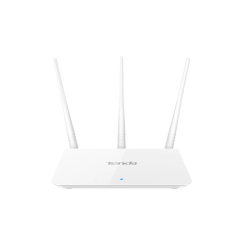
- Wi-Fi Coverage (approximate): Up to 800 sq. ft.
- 3*5dBi external antennas
- Data Rate Up to 300Mbps
- Frequency: 2.4GHz
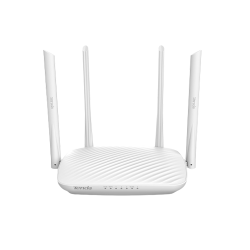
- Button: 1*WPS/RST,1*WIFI
- Data Rate: 802.11b : 11 Mbps
- Frequency: 2.4~2.4835 GHz
- Antenna: 4*6dBi external non-detachable

- Data rate: Up to 150Mbps
- Supports: Windows 10/8/7/XP/Vista
- Frequency: 2.4~2.4835GHz
- EIRP: < 20dBm

- 2.4GHz Wireless LAN.
- Supports VLAN function for IPTV
- Supports TR-069 protocol
- Supports DHCP, Static IP, PPPoE, PPTP, L2TP
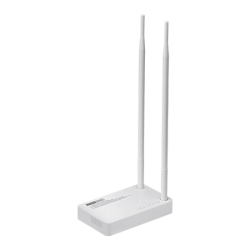
- Up to 300Mbps data rate
- Frequency: 2.4~2.4835GHz
- Interface: 4 x LAN & 1 x WAN ports
- 2*11dBi Detachable Antennas
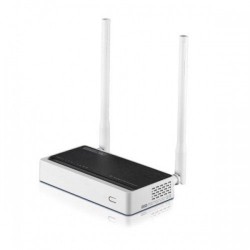
- Complies with IEEE 802.11n/g/b standards
- Up to 300Mbps data rate for Wi-Fi network.
- Supports IP, Port, MAC, URL filtering
- Supports TR-069 protocol

- Speed: 300 Mbps
- Feature: 2500 sqft Coverage, 15 ~ 25 Users
- Output Power: 20dBm (Max.)
- Power Supply: 9V DC/0.8A
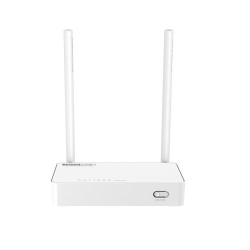
- Complies with the latest IEEE 802.11n standards
- 2.4GHz wireless speed up to 300Mbps.
- Provides WPA/WPA2 mixed security.
- QoS: Bandwidth Control based on IP address.
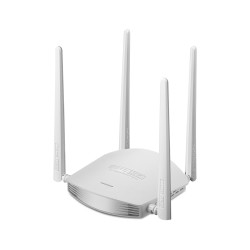
- Complying with IEEE 802 11n Standard
- Up to 600Mbps data rate for Wi-Fi network
- N600R offers more stable Wi-Fi signal
- Provides 64/128-bit WEP, WPA, WPA2 and WPA-Mixed security.
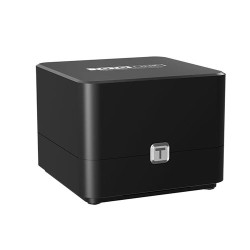
- Data Rate: 867Mbps on 5GHz and 300Mbps on 2.4GHz
- Antennas: 2x Internal Dual Band
- 2x 1000Mbps LAN, 1x 1000Mbps WAN Port
- Complies with IEEE 802.11ac wave2 Wi-Fi standard
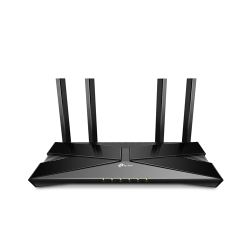
- Next-Gen 1.8 Gbps Speeds
- Extensive Coverage
- The 1.5 GHz quad-core CPU
- Increased Battery Life
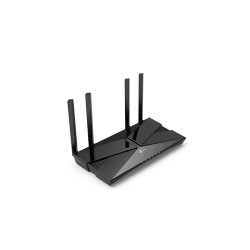
- Data Transfer Rate 1800 Mbps
- Up to 20 User Connections
- Wi-Fi Coverage (approximate): Up to 1500 sq ft
- WiFi Range: 2-3 Bedroom Houses
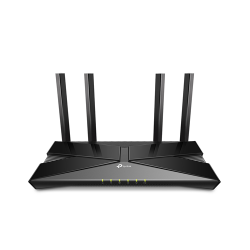
- 2402 Mbps on 5 GHz and 574 Mbps on 2.4 GHz band
- Up to 75% reduction in latency enables
- 3× Faster Speed
- Enhanced Security—More secure and trusted
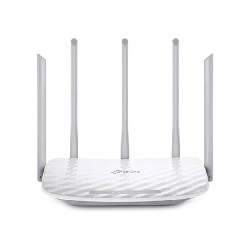
- WiFi Range: 3 Bedroom Houses
- Access Point Mode
- Three 2.4GHz antennas and two 5GHz antennas create superior Wi-Fi coverage
- The advanced AC Wi-Fi unlocks the performance of all your wireless devices
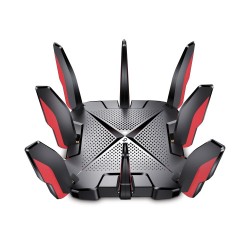
- 2.5 Gbps Wired Connection
- 1.5 GHz Quad-Core CPU
- Game Protector
- 8 antennas, high-power FEM, 4T4R combine
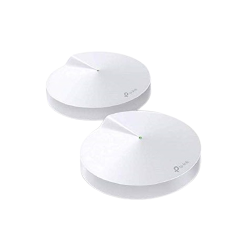
- Data Transfer Rate up to 1300 Mbps
- Wi-Fi Coverage (approximate): Up to 3800 sq. ft.
- Providing connections for over 100 devices.
- Wi-Fi 5 Generation
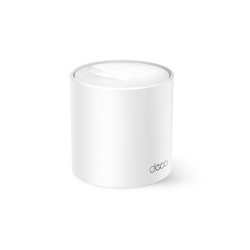
- Wi-Fi Coverage (approximate): Up to 2100 sq. ft.
- Up to 120 devices
- Wi-Fi 6 Generation
- Connections Up to 1,500 Mbps
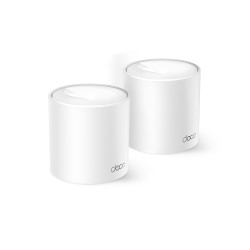
- Wi-Fi Coverage (approximate): Up to 3900 sq. ft.
- Up to 120 devices
- Wi-Fi 6 Generation
- Connections Up to 1,500 Mbps
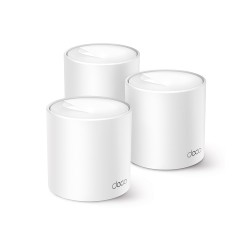
- Wi-Fi Coverage (approximate): Up to 5600 sq. ft.
- Up to 120 devices
- Wi-Fi 6 Generation
- Connections Up to 1,500 Mbps
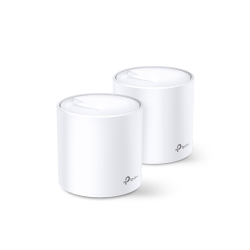
- Wi-Fi Coverage (approximate): Up to 4000 Sq. ft.
- Wi-Fi 6 Generation
- Speeds up to 1,800 Mbps
- Up to 150 User connections