
Networking
Best Quality Networking Accessories in Bangladesh
What Are the Different Types of Networking Devices?
- Router: A device that connects two or more IP networks. Essentially, a router serves two purposes: 1) It manages transmissions between networks by forwarding data packets to their appropriate IP addresses 2) It allows multiple devices to share a single internet connection.
- Modem: A modem is a hardware device that allows computers, routers, or switches to connect to the internet.
- Switch: A multiport device used to connect several computers via the Ethernet port.
- Hotspots: Are Physical locations where people use Wi-Fi to access the internet via a wireless local area network with a router that is connected to an internet service provider.
- Ethernet Hubs: An ethernet hub connects several computers together. It also acts as a repeater and amplifies signals.
- Gateway: A gateway in the computer networking acts as a ‘gate’ or entry and exit point between networks.
- Repeater: Repeaters are essentially range extenders as they forward wireless signals from a WiFi router in order to cover a larger area.
- Bridges: To connect multiple LAN network, one needs a bridge; it acts as a network aggregator, connecting multiple LAN networks to create one large LAN network.
How function networking devices?
- Facilitate data transmission and communication between devices.
- Enable efficient and secure network connectivity.
- Enhance network performance and optimize traffic flow.
- Provide network security by enforcing access control and threat prevention.
- Simplify network management and configuration.
How do network devices work together?
Devices often use Ethernet cables to connect to a switch's ports. When transferring frames, the switch refers to an address table that has stored the MAC addresses of such devices in. Switches transfer data straight to the designated destination port, whereas routers forward data to an IP address or network.
What is the basic device of a network?
The physical components that enable hardware on a computer network to connect and communicate with one another are referred to as network devices, sometimes called networking gear. Repeater, Hub, Bridge, Switch, Routers, Gateway, Brouter, NIC, etc. are a few examples.
How do network devices communicate?
Computer networks use cables, fiber optics, or wireless communications to link nodes, such as computers, switches, and routers. Devices within a network can communicate and exchange data and resources thanks to these links. Protocols, which specify how communications are made and received, are followed by networks.
Best Networking Accessories Shop In Bangladesh From QuickLink BD
QuickLink BD stands as Bangladesh's largest retail destination for Gadgets, Office Equipments, monitors, Router, Networking Accessories, Extender, Networking Accessories, Networking Products, and UPS. Visit any of our branches for unbeatable deals on your preferred Micropack Mouse. Additionally, our extensive range of products and services is available on the QuickLink BD e-online store. Choose from a variety of payment methods and enjoy hassle-free EMI options. Our delivery network spans across Bangladesh, ensuring nationwide coverage. Shop with us for convenience, reliability, and exceptional value.

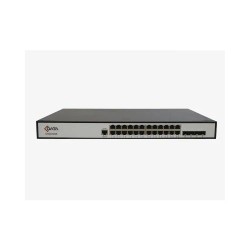
- Size of RAM: 512MB
- Power consumption : Up to 40W
- Ports : 24*10/100/1000BASE-T
- Storage temperature:-40º to 70ºC
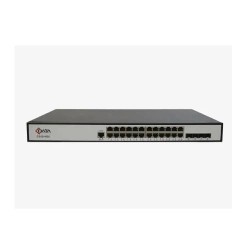
- Ports : 24*10/100/1000BASE-T RJ45
- Size of RAM: 256MB
- Power consumption : < 30W
- Storage temperature:-40 – 70℃

- Power: 220VAC
- Operating Temperature: -15~50℃
- Interface: 1 100/1000BASE-Tx out-band
- Storage Temperature: -40~85℃

- Open/ short wiring test
- Equipped with RJ-45 and RJ-11 ports
- Both with 50 U gold plating
- Maximum cable length 300ft

- Open / Short / Straight / Crossover
- Consume electricity : 25mA
- Power: 9 v dc laminated dough

- Flash: 6 MB
- Generation: Wi-Fi 5
- Power: 802.3af/at PoE
- CPU: 880 MHz Dual-Core Processor
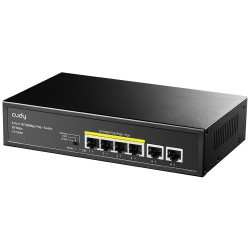
- Complies with IEEE802.3af/at Standard
- Supports PoE power up to 32W for each PoE port
- Auto-detect non-PoE devices and PoE device
- CCTV/VLAN mode switch, remote power, and data up to 250m
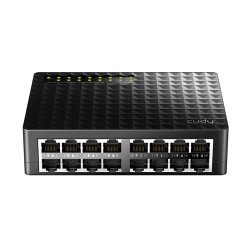
- Power supply: DC 5V 1A
- MAC Address: 2K
- Weight: 0.228kg
- Transfer Mode: Store-and-Forward

- Port: 16 Port
- 200W Power Supply
- Default/VLAN/Extend Modes
- Desktop, Rack-Mount

- 300 watts total PoE power budget
- Port: 24 x GbE PoE+ Port + 2 x SFP
- Switching Capacity: 56Gbps
- Storage Temperature: -40 °C ~ 70 °C
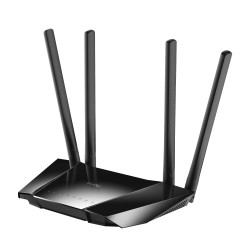
- Feature: Up to 2000 square feet in open space
- Data Speed: 300 Mbps
- Antennas: 4 x High gain antennas
- Memory: 64MB DDR2/8M SPI

- Nano SIM Slot
- Frequency: 2.4 GHz
- 4G Band Lock: Support
- Internet Protocols: IPv4 / IPv6
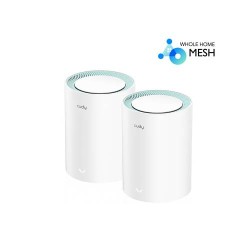
- Data Speed: 867 Mbps (5 GHz),300 Mbps (2.4 GHz)
- Wi-Fi Coverage (approximate): Up to 3200 sq. ft.
- 51-Above User
- Antenna: 2× Internal Omni-Directional Antennas
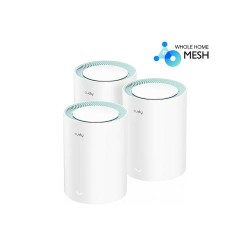
- Frequency: 5 GHz, 2.4 GHz
- Wi-Fi Coverage (approximate): Up to 4500 sq. ft.
- 51-Above User
- Data Rate: 867 Mbps (5 GHz),300 Mbps (2.4 GHz)
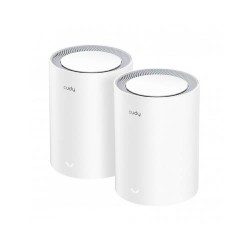
- Wi-Fi Coverage (Approximate) - 3501-5000 Sq. ft
- Data Rate: 1201 Mbps (5 GHz)
- Frequency: 5 GHz, 2.4 GHz
- 51-Above User
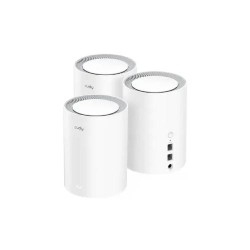
- Wi-Fi Coverage (Approximate) - 5001-Above Sq. ft
- Frequency: 5 GHz, 2.4 GHz
- Data Transfer Rate 1800 Mbps
- 51-Above User
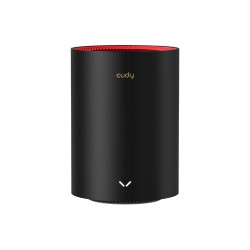
- Wi-Fi Coverage (approximate): 1501-2500 Sq. ft
- Wi-Fi 6 Technology
- Data Transfer Rate up to 3000 Mbps
- Concurrent User up to 16-30
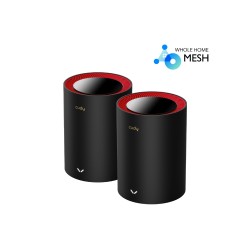
- Wi-Fi Coverage (Approximate) - 3501-5000 Sq. ft
- Wi-Fi 6 Technology
- Data Transfer Rate up to 3000 Mbps
- Concurrent User up to 31-45
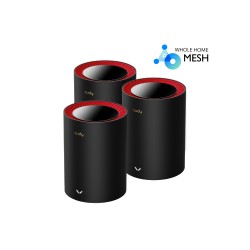
- Wi-Fi Coverage (Approximate) - 5001-Above Sq. ft
- Wi-Fi 6 Technology
- Frequency: 5GHz, 2.4GHz
- Data Transfer Rate up to 3000 Mbps
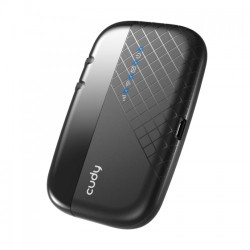
- 2000 mAh battery for 7 hours of usage
- Supports up to 10 devices simultaneously
- Support FDD and TDD bands
- Share 4G connection with up to 150/50 Mbps (download/upload)